

Your Ultimate Guide to the Best Gadgets for Gaming

The right gadgets for gaming aren't just flashy accessories—they're practical tools that can make the difference between a clumsy loss and a flawless victory. For a long time, this kind of specialized gear was seen as "pro-only," but that's no longer true. A few smart, actionable upgrades can fix common frustrations and completely overhaul your gaming experience.
Beyond the Basics: Why Gaming Gadgets Actually Matter
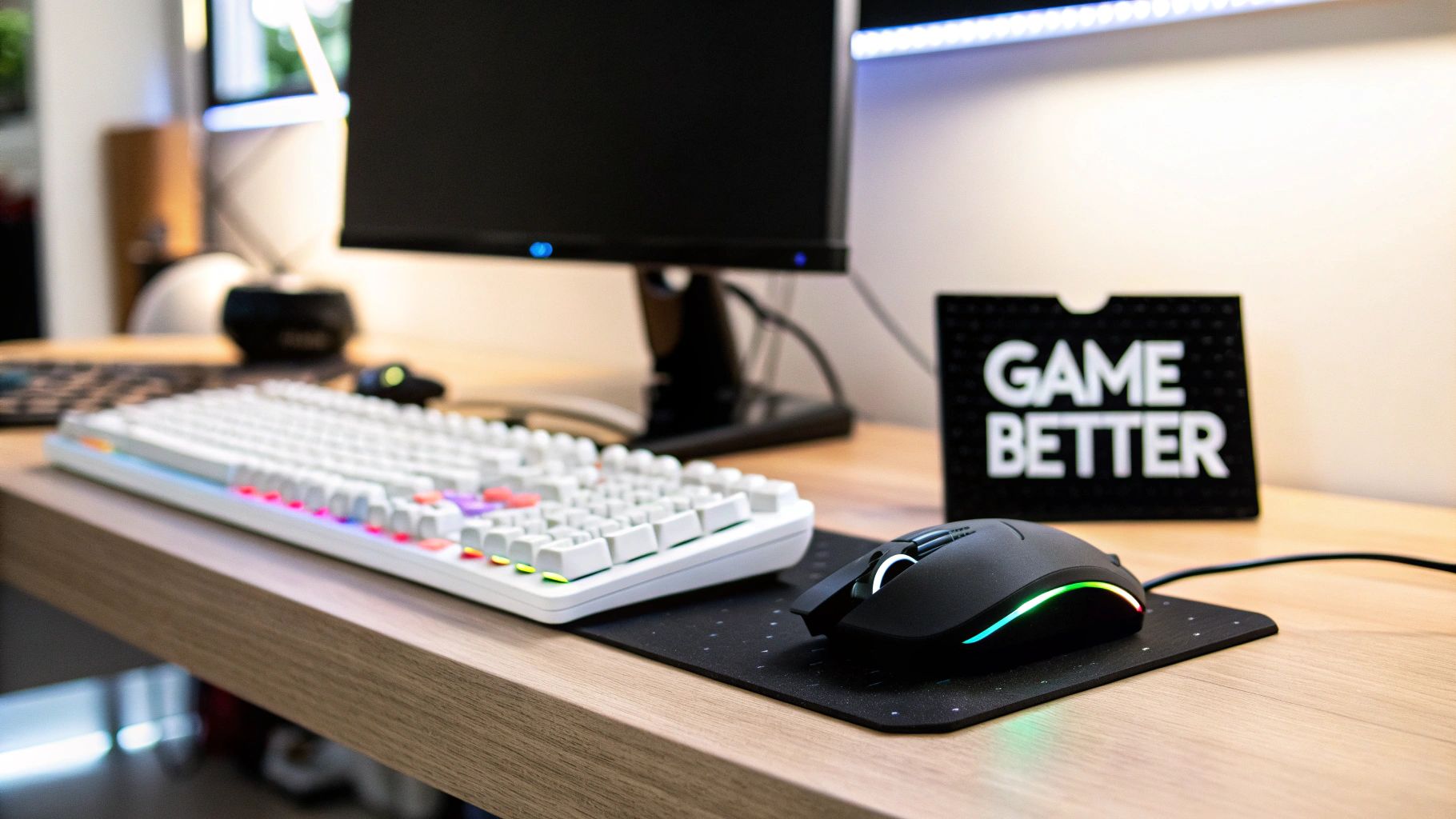
Think of your gaming gear like a custom-built toolkit. While a standard office mouse or the earbuds that came with your phone will function, they weren't designed for the split-second precision and hours-long endurance gaming demands. To improve, you need tools built for the job. The right gadgets should feel like a natural extension of your reflexes, removing physical roadblocks so you can react faster, play longer, and get fully immersed in the game.
This guide cuts through the marketing hype to provide a clear roadmap. We'll show you how clever, often surprisingly affordable, upgrades can deliver a genuine, measurable improvement to your day-to-day gameplay.
From Frustration to Fluid Gameplay
We’ve all been there: hand cramps from a poorly designed controller, a laggy mouse that costs you the match, or a phone that overheats and starts to stutter. These technical hiccups pull you right out of the moment. Gaming-specific gadgets are engineered as direct solutions to these problems.
- To Play Longer in Comfort: Invest in ergonomic gear. Mice shaped to your hand, chairs with proper lumbar support, and headsets with plush earcups are all built for marathon sessions. They actively prevent the fatigue and strain that force you to log off early.
- To Boost Your Performance: Seek out responsive hardware for a real competitive edge. Look for high-precision sensors in mice, mechanical keyboards that register every keystroke instantly, and high-refresh-rate monitors. These components deliver a smoother, more responsive experience that you can feel.
- To Get Completely Immersed: Upgrade your audio and lighting. Surround-sound headsets let you pinpoint every enemy footstep, while ambient backlighting that mirrors on-screen action can make the game world feel like it's expanding into your room.
Actionable Tip: Build a setup so seamless that the hardware fades into the background, leaving just you and the game. The right gear makes this happen, transforming your desk into a personalized command center.
The global video game market is exploding, projected to reach $197 billion in revenue by 2025. Mobile gaming is a huge part of that, expected to account for $108 billion on its own. With 3.6 billion gamers around the world, accessible add-ons are becoming essential for turning a quick game into a comfortable, enjoyable hobby.
Ultimately, investing in your setup isn't about extravagance; it's about maximizing your time and enjoyment. Take a look at our handpicked collection of innovative gaming gadgets to see how a few simple upgrades can make a world of difference.
Building Your Perfect Gaming Arsenal
Putting together a great gaming setup is a lot like building a custom toolkit. You don't just buy a pre-packaged box; you pick each tool for a specific job. Every gadget in your arsenal should solve a problem—whether it's improving your aim, making long sessions more comfortable, or just pulling you deeper into the game world.
Focus on function over flash. The right piece of gear melts away, becoming a seamless extension of your hands and eyes. It’s what lets you pull off that pixel-perfect headshot or comfortably explore a massive open world for hours. Let's break down the essential pieces you need to build a killer gaming rig.
Before we dive in, here’s a quick overview of the essential gadget categories and what they bring to the table.
Essential Gaming Gadgets and Their Primary Function
| Gadget Category | What It Does | Best For Gamers Who... |
|---|---|---|
| Control & Precision | Translates physical movements into in-game actions with speed and accuracy. | ...play competitive shooters, strategy games, or any title where a split-second matters. |
| Immersion & Communication | Creates a believable game world with detailed audio and enables clear team chat. | ...want to feel fully present in the game and coordinate effectively with teammates. |
| Performance & Comfort | Delivers smooth visuals and provides ergonomic support for long gaming sessions. | ...are serious about performance and want to avoid physical strain or fatigue. |
| Mobile Enhancements | Overcomes the limitations of touchscreen controls for a more console-like experience. | ...play demanding action or shooter games on their smartphone. |
Use this table as your starting point. Now, let's dig into the practical applications of each category to build your perfect setup.
Control and Precision
This is your direct interface with the game. Your mouse, keyboard, and controller must be reliable. Without solid controls, even the most powerful PC is just an expensive paperweight.
-
Gaming Mice: These are precision instruments. They're built around high-sensitivity sensors, measured in DPI (Dots Per Inch). A higher DPI means your cursor moves further with less physical movement—ideal for fast-paced action. For long sessions, choose a mouse designed for comfort, like a gun-style vertical gaming mouse, which can be a lifesaver for preventing wrist pain.
-
Mechanical Keyboards: The key advantage is the physical switch under every key. Unlike a mushy membrane keyboard, a mechanical switch activates before you bottom it out. That split-second advantage in response time can mean the difference between winning and losing. The tactile click or thump also provides undeniable confirmation that your command was registered.
-
Controllers: For sports, racing, or third-person adventures, nothing beats a controller. Modern gamepads enhance this with haptic feedback that lets you feel engine rumble or adaptive triggers that add tension to a bowstring, creating a much deeper connection to the on-screen action.
Immersion and Communication
These gadgets pull you out of your room and into the game world. Great audio is just as crucial as graphics for creating a believable experience.
Actionable Tip: A great gaming headset doesn't just play sounds—it builds a 3D soundscape around you. Use this to pinpoint an enemy's footsteps or the direction of an approaching vehicle, giving you a significant tactical advantage.
This is often achieved with virtual surround sound, which tricks your ears into hearing sounds from all directions. For team games, a quality noise-cancelling microphone is non-negotiable. It ensures your teammates hear your strategic callouts, not background noise.
Performance and Comfort
Gaming is a marathon. These gadgets ensure your setup can keep up, providing both silky-smooth performance and the ergonomic support needed to play for hours without strain.
Upgrading to a high-refresh-rate monitor is one of the most impactful changes you can make. Refresh rate (Hz) measures how many times the screen updates per second. Jumping from a standard 60Hz monitor to 144Hz or higher makes motion incredibly fluid and clear. It’s a genuine competitive advantage.
Equally important is an ergonomic gaming chair. A good one is engineered to support your body with adjustable lumbar pillows, armrests, and headrests. This isn't about aesthetics—it's about promoting good posture so you can end a long session without an aching back or stiff neck.
Mobile Gaming Enhancements
Mobile gaming is massive, and so is the gear designed to improve it. Touchscreen controls can be clumsy. These accessories fix that, turning your phone into a legitimate gaming powerhouse.
-
Phone Grips and Triggers: Clip these onto your phone to add physical buttons. The tactile feedback for aiming and shooting is infinitely more precise than tapping on a flat glass screen.
-
Cooling Fans: Graphically intense games make phones hot, which causes performance to throttle. A simple clip-on fan keeps temperatures down so your phone runs at peak performance when you need it most.
Matching Your Gear to Your Gaming Platform
The best gaming gadgets aren't the most expensive ones—they're the ones that match how you play. A top-tier racing wheel is useless if you only play mobile games, and clip-on triggers won't help on a PlayStation.
Start with your platform. Choosing gear designed specifically for your PC, console, or mobile setup is the first step toward a better gaming experience. This ensures you're investing in tools that solve real problems, like boosting your aim on PC or making long couch sessions more comfortable on console.
This decision tree can help you prioritize. Are you chasing total immersion, pinpoint precision, or marathon-level comfort?
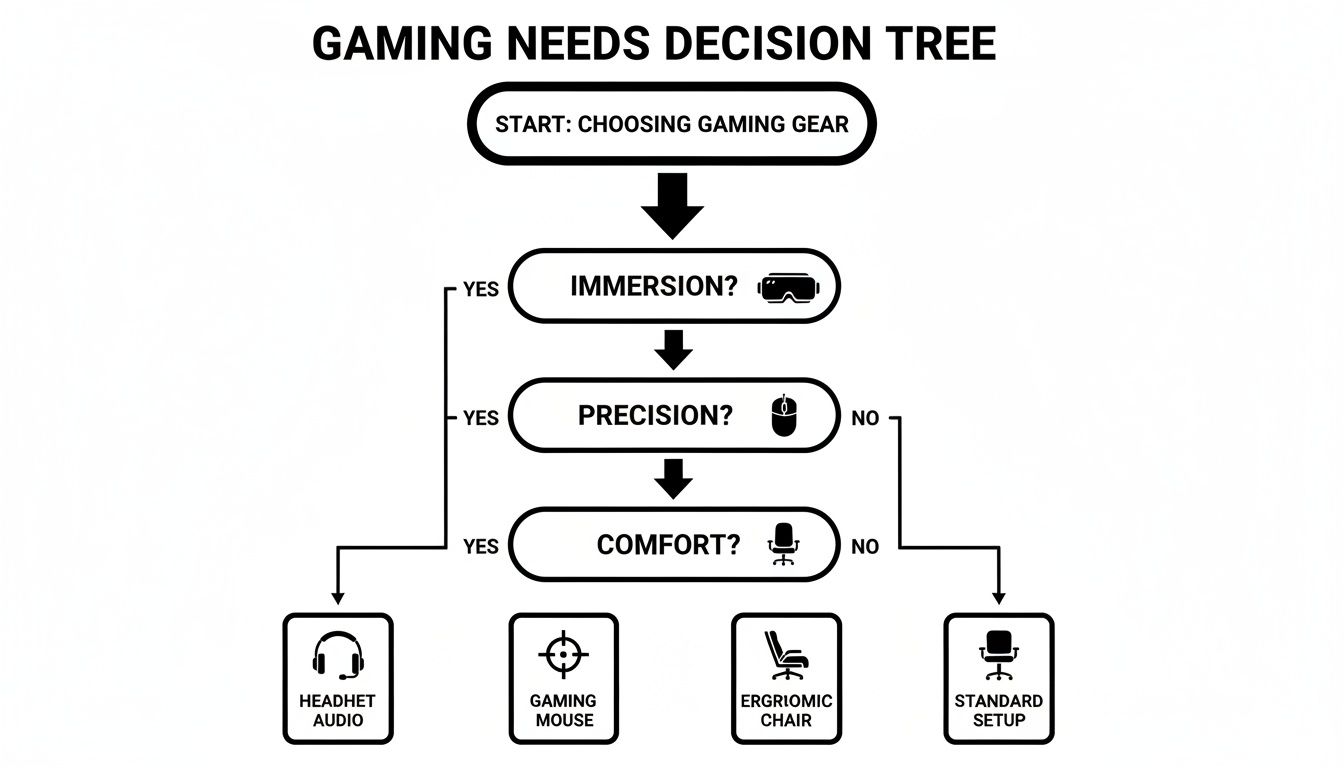
Use this as a practical guide. It will point you toward the gadgets—be it a headset, mouse, or chair—that will deliver the biggest improvement based on what matters most to you.
PC: The Realm of Precision
PC gaming is about pushing performance and customization. Here, your mouse and keyboard are your primary tools, so upgrading them delivers an immediate, noticeable advantage. A good gaming mouse with an adjustable DPI sensor lets you switch from lightning-fast reflexes in a chaotic shooter to slow, deliberate movements for lining up a perfect headshot.
And don't underestimate high-refresh-rate monitors. Moving from a standard 60Hz screen to 144Hz or higher is a genuine game-changer. The on-screen motion becomes buttery smooth, helping you track targets more easily and react faster. It's an upgrade you have to see to believe.
Console: Comfort and Durability
For PlayStation, Xbox, or Switch players, the controller is king. The included gamepads are solid, but pro-style controllers with back paddles and swappable thumbsticks can seriously elevate your play. Those extra paddles let you jump, slide, or reload without ever taking your thumbs off the sticks—a massive advantage in competitive games.
Actionable Tip: Build your console setup for marathon couch sessions. Invest in convenient charging docks to keep your controllers ready and a high-quality wireless headset to communicate with your team without being tethered to the console.
For console players, reliability and ease of use are paramount. You want gear that just works, so you can focus on the game.
Mobile: Gaming on the Go
The mobile gaming scene is colossal. In 2025, mobile gaming accounted for a 54-55% share of all gaming revenue worldwide, pulling in an incredible $108 billion. This explosion created a huge demand for gadgets that solve the unique frustrations of phone gaming, from sweaty hands messing up your aim to a dying battery in the middle of a match.
A few simple add-ons can make a world of difference.
- Controller Grips and Triggers: Clip these directly onto your phone for physical buttons and a more tactile, precise feel. It’s the closest you can get to a console experience without a dedicated controller.
- Phone Coolers: Intense games heat up your phone, causing the processor to slow down (or "throttle"). A small, clip-on fan keeps things cool, ensuring your frame rates stay stable when it counts.
- Joysticks: For a huge upgrade in movement control, a simple suction-cup phone joystick provides smooth, fluid motion that a flat touchscreen just can't replicate.
Decoding the Tech Specs That Actually Matter
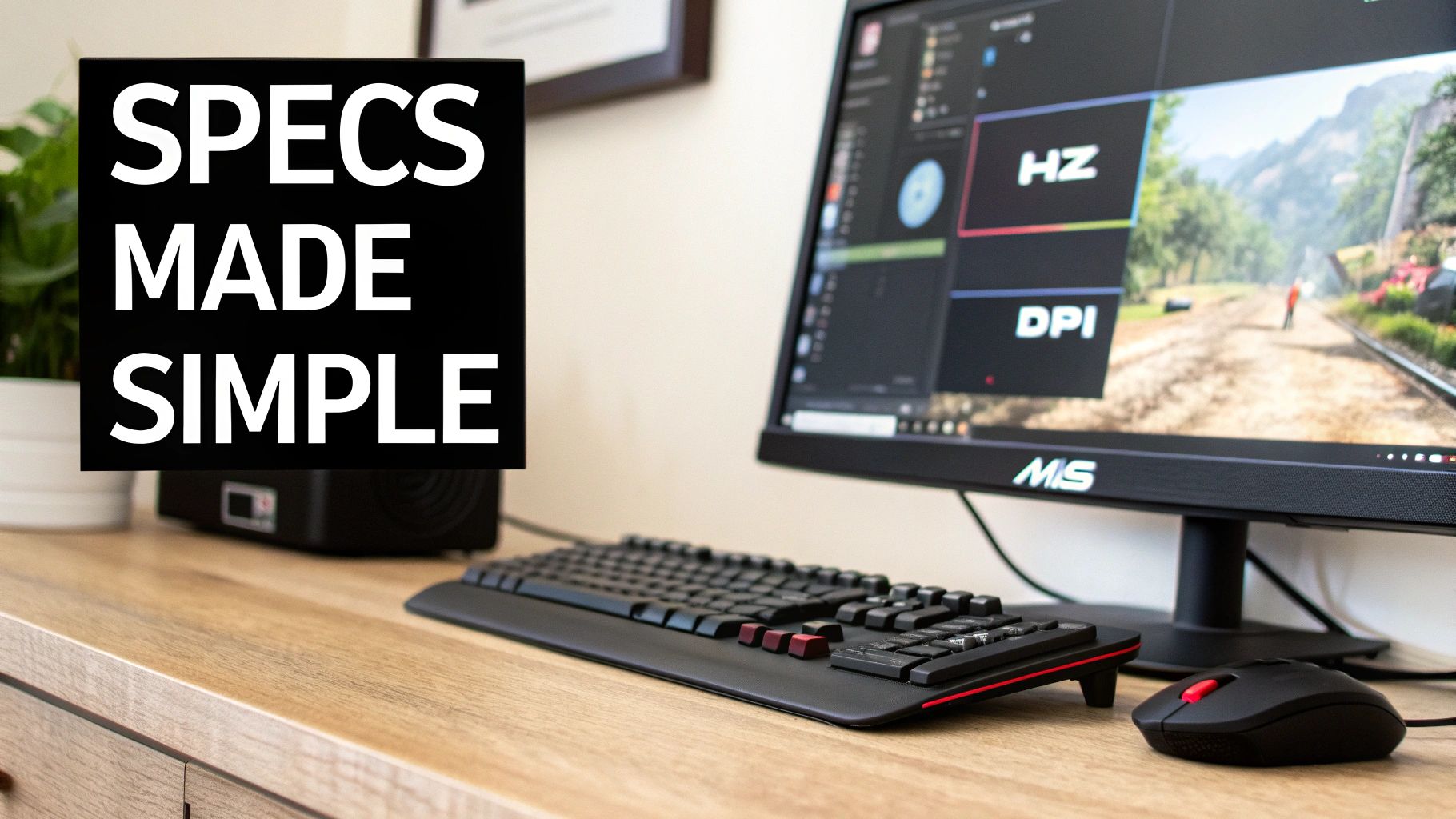
Ever feel like you need a translator just to read a product page? You're not alone. The world of gadgets for gaming is packed with acronyms and numbers that sound impressive but don't mean much without context. Let's cut through that marketing noise and focus on what actually helps you win.
The goal here is to help you look at any spec sheet and know exactly how a feature will (or won't) improve your gameplay. This way, you stop overspending on hyped-up numbers that offer zero real-world benefit for the way you play.
For Your Mouse: DPI and Polling Rate
When shopping for a gaming mouse, you'll constantly see DPI and Polling Rate. Think of these as your mouse's speed and reflexes.
-
DPI (Dots Per Inch): This measures mouse sensitivity. A higher DPI means your cursor moves further with less hand movement. While mice are advertised with a massive 16,000 DPI, most competitive players use much lower settings—typically between 800 and 2400 DPI—for more precise control.
-
Polling Rate (Hz): This tells you how often the mouse reports its position to your computer. A standard office mouse is 125Hz, but a good gaming mouse should be 1000Hz. This means it updates its position 1,000 times every second, translating to the smooth, lag-free cursor movement you need in a firefight.
The takeaway: A high polling rate (1000Hz) is a must. For DPI, bigger isn't better—find a mouse with adjustable DPI and experiment to find what works for you.
For Your Monitor: Refresh Rate and Response Time
Your monitor is your window into the game. Refresh Rate (Hz) and Response Time (ms) determine how clear and fluid that view is.
Refresh Rate is how many times your screen draws a new image per second. Your average office monitor is 60Hz, but a solid gaming monitor starts at 144Hz. This jump creates an incredibly smooth picture, making it far easier to track fast-moving targets without motion blur.
Response Time, measured in milliseconds (ms), is how quickly a pixel can shift from one color to another. A low response time, like 1ms, is crucial for eliminating "ghosting," ensuring that fast-paced action stays crisp and sharp.
For Your Keyboard: Mechanical vs. Membrane
The keyboard debate boils down to one thing: mechanical or membrane? It's all about how the keys feel and perform under pressure.
A membrane keyboard, common in offices, uses a rubber dome under the keys. This feels mushy and lacks the distinct feedback gamers need for precise movements.
A mechanical keyboard uses an individual physical switch for every key. This provides a clean, tactile "click" or a smooth "bump" with every press, so you know the command was registered. This isn't just about feel—that faster, more reliable actuation can genuinely give you a split-second edge.
Understanding these specs is more important than ever. By 2025, the gaming industry’s 3.6 billion players are expected to drive revenues to $197 billion. As you can see from global video game revenue trends on Statista.com, different platforms are booming. Console gaming's steady 5.5% year-over-year growth is fueling sales of controller add-ons and ergonomic chairs. Meanwhile, PC gaming's huge 10.4% jump to $43 billion is cranking up the demand for high-performance keyboards and monitors. Knowing what to look for means you're not just buying gear; you're making a smart investment in your hobby.
Budget vs. Premium: When Is It Worth Spending More?
Every gamer faces the classic dilemma: save or splurge? It’s easy to assume that more expensive gear automatically means a better experience, but the smartest gamers are strategic.
You don’t need a pro-level setup to have a blast. Think of it like building a custom PC—you put your money into the components that give the biggest performance boost, like the graphics card and CPU. The same logic applies to your accessories. For some items, paying a premium gets you a real, tangible upgrade, while for others, a budget-friendly option is more than enough.
Where Spending More Pays Off
Some pieces of gear are worth every penny because they directly impact performance, comfort, and even your long-term health. These are the areas where you should invest.
-
A High-Quality Gaming Mouse: This is your primary interface. A premium mouse offers a superior sensor for pixel-perfect tracking, durable switches that won’t fail in a clutch moment, and an ergonomic design that prevents hand cramps. The performance difference here is tangible.
-
An Ergonomic Chair: You can't play your best if you're in pain. A good ergonomic chair is an investment in your well-being, providing essential lumbar support and adjustability that makes marathon sessions enjoyable, not painful.
-
A Solid Headset: In competitive games, audio is information. A high-end headset delivers a clearer, more precise soundscape, letting you pinpoint enemy footsteps with accuracy. Premium models also have better build quality and clearer noise-canceling mics, so your team hears you clearly.
Smart Places to Save Money
On the flip side, not every gadget needs to be top-of-the-line. Plenty of affordable gear offers incredible value without emptying your wallet. Saving here frees up your budget for the items where quality truly matters.
Actionable Tip: The secret to a great setup isn't spending the most money; it's spending money on the right things. A budget mechanical keyboard paired with a premium mouse is a far more effective combination than a mediocre version of both.
A perfect example is a mousepad. An enormous, high-end branded mousepad often performs just as well as a much more affordable oversized one. Likewise, while a flashy RGB headphone stand looks cool, a simple, sturdy hook accomplishes the exact same thing for a fraction of the cost. By making these smart compromises, you can build a setup that punches well above its price tag.
Got Questions About Gaming Gadgets? We've Got Answers.
Diving into the world of gadgets for gaming can be overwhelming. With so many options, it's easy to get lost. Whether you're just starting out or you're a veteran player wondering if that new upgrade is really worth it, let's clear up some of the most common questions.
What Gadgets Should a Beginner Gamer Actually Buy First?
If you're new to the scene, focus on the biggest immediate upgrades in comfort and control. Forget the flashy, high-end stuff for now. Start with these key pieces.
- A Comfortable Gaming Headset: Good audio helps you get lost in the game's world, and a clear mic is essential if you plan on playing with friends. This is a game-changer.
- A Responsive Gaming Mouse: Find one that fits your hand well and has a decent DPI range. You'll immediately notice how much more precise your aim is.
- A Big Mousepad: This might seem small, but giving your mouse a smooth, consistent surface is huge. It prevents you from running out of room during a critical moment.
These three items are the most impactful starting point for any new PC or console setup. They deliver the most bang for your buck, hands down.
Do I Really Need Expensive Gear to Be a Good Gamer?
No. Skill will always beat gear. While a premium monitor or an ultra-light mouse can provide a slight edge, they won't magically make you a pro.
Focus on what's comfortable and reliable. A budget-friendly mechanical keyboard that you love to use and a solid, no-frills mouse will take you much further than a top-of-the-line setup that feels awkward or causes hand cramps.
Actionable Tip: Don't chase the most expensive equipment; find the right equipment for you. Prioritize comfort and function, and you'll build a setup that actually helps you play better.
How Do I Pick the Right Gaming Headset?
When choosing a headset, prioritize three things: how it sounds, how you sound, and how it feels after three hours.
First, sound profile. For cinematic single-player games, look for rich audio. For competitive shooters, virtual surround sound is a huge help in pinpointing enemy locations. Next, the microphone. If you have a noisy environment, choose a mic with noise-canceling features so your teammates hear your callouts clearly.
Above all else, it must be comfortable. Look for an adjustable headband and soft, breathable earcups for long sessions. Finally, always double-check that it’s compatible with your PC, Xbox, or PlayStation before buying.
Are Mobile Gadgets Like Triggers and Fans Actually Worth It?
Absolutely. They transform mobile gaming from a clunky experience into something genuinely competitive and fun by fixing the biggest problems with playing on a touchscreen.
Mobile triggers, for example, give you physical buttons for aiming and shooting, offering a much more satisfying and responsive feel than tapping on glass. Cooling fans are another lifesaver, preventing your phone from overheating and slowing down—a phenomenon called thermal throttling—during intense gaming sessions. They are small, affordable, and make a massive difference in performance.
Ready to gear up? Explore a handpicked collection of practical and high-value gadgets for gaming at JonkeyCart and find the tools to take your play to the next level. Check out our full range of gaming accessories.


Leave a comment